Different rules per task
Block games during homework. Allow messaging during dishes. Match the rule to the chore.
Inside the app
Tasks & consequences
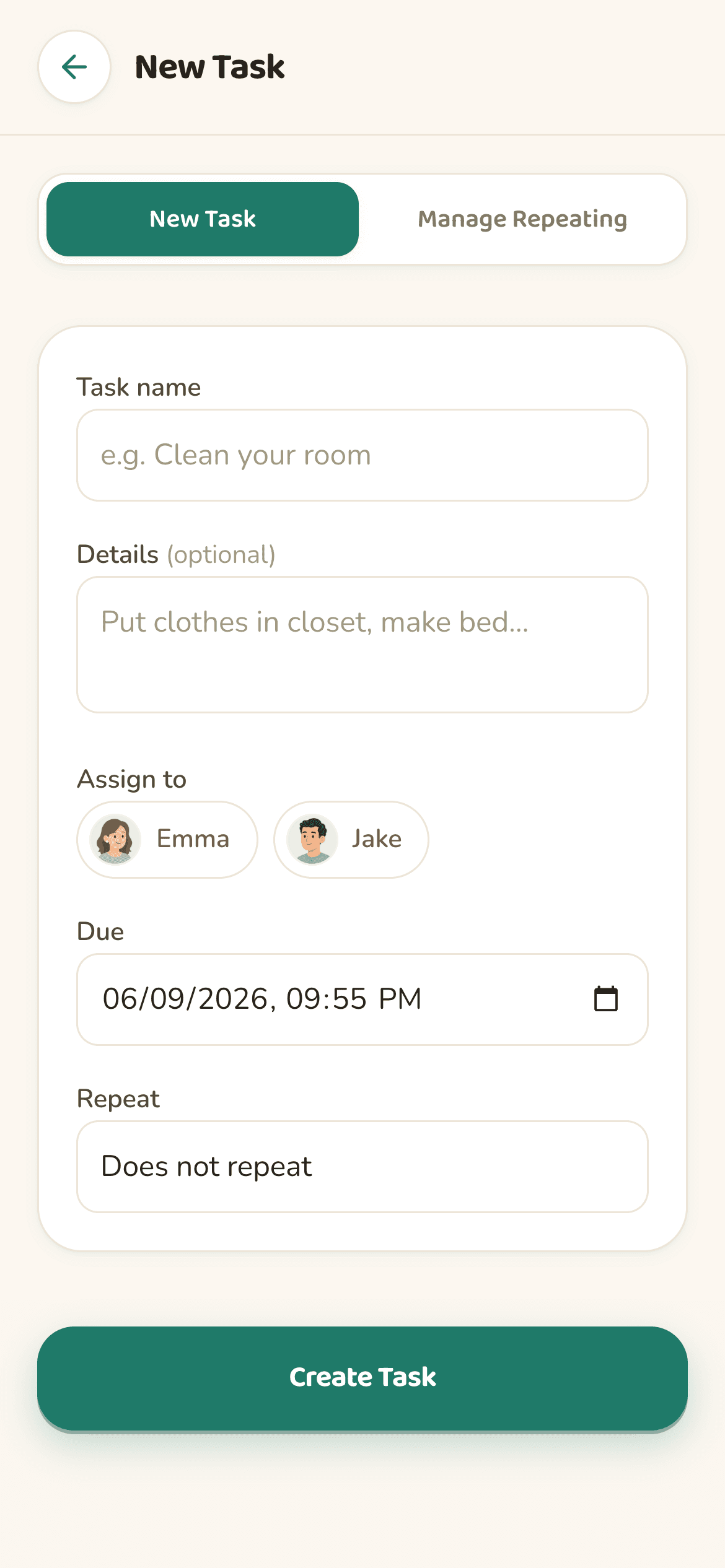
Assign tasks to specific kids. Each child sees only their own list on their own iPhone or iPad, sorted by what's due next. It fits ages 6 to 17: younger kids mostly get daily chores like dishes and room cleanup, teens more often homework.
Set the exact moment a task is overdue. Until then, apps stay open and taskr does nothing. If the deadline passes without an approved photo, the apps you picked lock, with no manual nagging.
Schedule daily, weekday, or weekly chores so the dishwasher and the dog get handled automatically. A recurring 8 PM dishes task, for example, locks YouTube on any night it isn't done.
Attach instructions so 'clean your room' means what you think it means, like clothes off the floor before the photo gets taken.
Screen Time controls
taskr can block any app installed on your child's iPhone. Choose specific apps like TikTok, Roblox, Snapchat, YouTube, Instagram, Discord, Fortnite, or Minecraft, or whole categories like games, social media, and entertainment.
Keep Messages, Phone, FaceTime, school apps, and anything else you don't want blocked available, so a block never cuts your kid off from you.
Every chore has its own block list. Lock social media and games during homework, but only YouTube during dishes.
taskr never blocks early. Apps stay unlocked right up until the deadline: if homework is due at 5:30, nothing locks at 4:00. At 5:30, if there's no approved photo, the apps you picked lock.
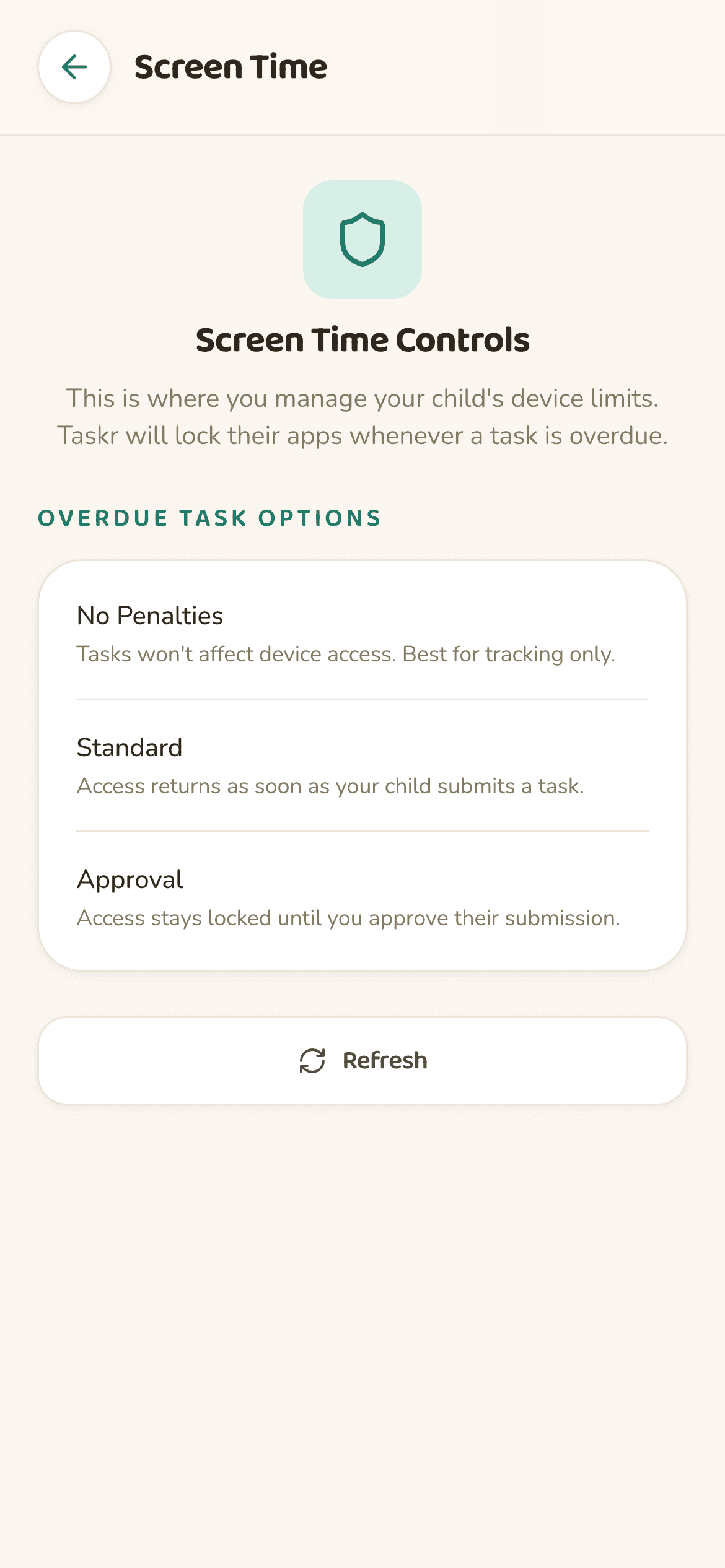
Photo proof & approvals
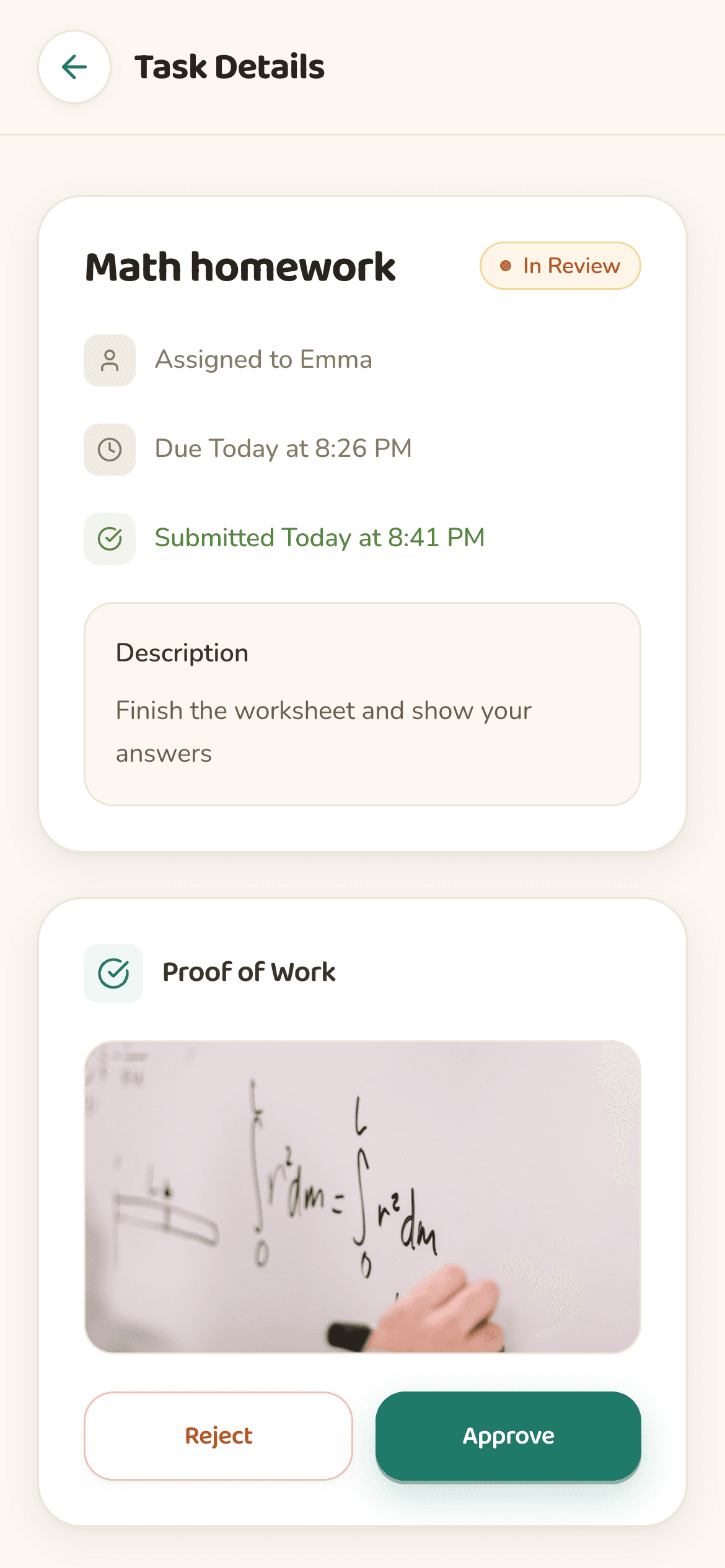
Kids snap a photo from inside the task. No file uploads, no friction. The camera permission taskr asks for on the child's device is for exactly this.
You get a push notification. Open the photo, approve or reject it, and send feedback if you want. Approving unlocks the apps right away.
If the room isn't clean, send it back with feedback. Apps stay blocked until your kid re-submits and you approve the new photo.
Real life happens. Open the task and tap extend to push the deadline forward, without touching Screen Time settings.
For parents
Due, overdue, blocked, and awaiting approval, all in one view that refreshes live, so you can see which kid has apps locked and why.
See completed tasks and which photos you approved over time.
Get pinged the moment a chore is submitted or goes overdue. That's what the notification permission on your iPhone is for.
Built with native SwiftUI, so it feels like a system app on iPhone and iPad. No ads, and nothing to install beyond taskr itself.

Safe by design
taskr runs on Family Controls and the Screen Time APIs, the Apple framework built for consumer parental-control apps. Your existing downtime, app limits, and content restrictions keep working alongside it.
Nothing to install on the kid's device beyond the App Store version of taskr. It runs on a stock iPhone with no MDM profile and no extra hardware.
All limits run through Apple's framework, and taskr cannot exceed what Apple allows. Linking a child's device takes your parent Apple ID, and a parent-only Screen Time passcode keeps the rules from being changed.
taskr needs your child in your Apple Family (Settings → Your Name → Family). You sign up as the parent and create your family in taskr, then each kid joins from their own device with your family code.
Fine-grained control
Block games during homework. Allow messaging during dishes. Match the rule to the chore.
Keep Phone, Messages, FaceTime, and school apps always allowed, for emergencies, school, and family communication.
Tap once to approve everything if the situation calls for it.
Holiday or birthday? Pause enforcement for a day with one tap.
Pricing
taskr is free to try on the App Store. taskr Pro is an optional subscription at $9.99 a month or $49.99 a year, and the first month is free.
Subscriptions are billed through your Apple Account, so you manage or cancel them in iOS Settings (Apple's steps). taskr has no ads.
FAQ